

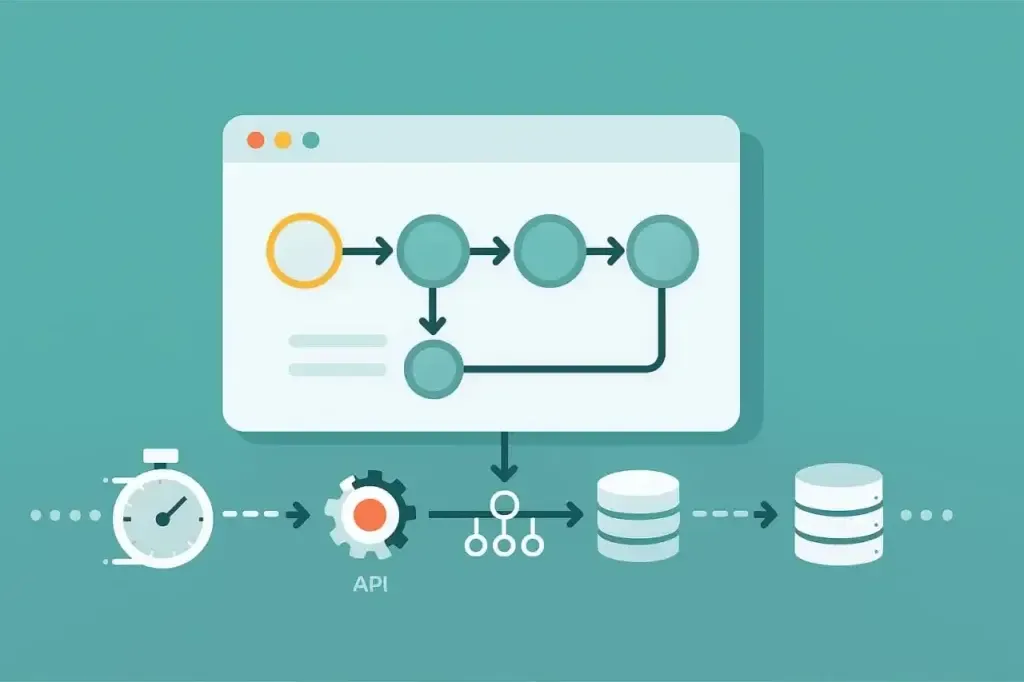
Most performance failures do not come from traffic alone. They often come from the amount of data each request has to pull, process, serialize, search, or render. A site can feel fast when the underlying dataset is small, yet become slow, unstable, or unresponsive once real production volumes accumulate. Catalogs grow, dashboards expand, indexes drift, logs balloon, search clusters age, and data access patterns gradually outgrow the assumptions they were built on. The architecture may look healthy in staging, but once the production dataset reaches a critical size, the same code can behave very differently.
This is why load testing large datasets is different from traditional load testing. You are not only validating whether the site can serve more users. You are validating whether the system can operate correctly when the data itself becomes heavy, dense, and expensive to process. The bottleneck shifts from traffic alone to traffic plus data weight.
The challenge is that many teams do not approach performance testing with this mindset. They test user flows with small or simplified inputs and get a false sense of reliability. To test a modern application realistically, you need to test the data, not just the traffic.
In this article, we’ll explore best practices for load testing large datasets, including what to test, what to avoid, and how to get more useful performance insights.
Where Large Datasets Hide Performance Failures
Large datasets expose inefficiencies that simply do not appear under lightweight staging conditions. The failure modes are not random. They usually cluster around core architectural layers that degrade as data volumes expand. Let’s take a look at where and how these issues occur.
Database Weight: Query Complexity, Index Drift, and Table Growth
Databases can degrade gradually and then suddenly. Queries that run smoothly against a few thousand rows can collapse against tens of millions. ORMs may mask complexity until they generate unbounded SELECTs, inefficient joins, or repeated queries. Indexes that were sufficient last quarter may become ineffective once cardinality changes. Query planners can choose poor execution paths when statistics become stale. Table bloat increases scan times. Storage engines slow down under heavy fragmentation or high-volume I/O.
This is where many “mystery” performance issues originate: the system is not slow only because traffic increased. It is slow because dataset size invalidated assumptions in the original schema, queries, or indexing strategy.
API Bloat and Data Overfetching
Microservices, GraphQL APIs, and headless architectures often return far more data than necessary. A seemingly harmless endpoint might hydrate 20 embedded objects, return megabyte-sized payloads, or trigger a cascade of parallel queries. Under large datasets, these inefficiencies scale quickly. Latency becomes tied to payload size, serialization cost, and downstream calls rather than only CPU usage. Network congestion can also appear at the edge.
Large-data performance issues often surface first at the API layer.
Caching Pathologies Under Data Growth
Caching strategies can accelerate or damage performance depending on how the cache behaves at scale. Three patterns appear consistently in large datasets:
- Cold Cache Behavior: Latency increases dramatically compared to warm steady-state operation.
- Cache Thrashing: Datasets exceed cache capacity, pushing out hot keys and reducing hit rates.
- Cache Invalidation Storms: Large data changes trigger aggressive eviction and force expensive recomputation.
These behaviors rarely appear in staging because caches there remain small, sparse, and unrealistically warm.
File/Object Storage and Large Media Libraries
Websites with large content repositories or media libraries can encounter bottlenecks that have little to do with CPU or simple request counts. Object storage list operations can slow down with expanding directories or prefixes. Large image transformations can become CPU-bound. Bulk downloads or multi-file loads can saturate throughput. Index pages that reference thousands of assets may degrade without warning.
Storage systems do not always scale linearly. Their performance profile can change materially as data grows.
Search and Aggregation Layers
Search clusters such as Elasticsearch, Solr, and OpenSearch are highly sensitive to dataset size. Aggregations can become expensive, shards may become unbalanced, merge operations can spike, and heap usage may grow until latency rises sharply. The search engine may remain technically available while delivering multi-second responses.
This type of degradation is difficult to see without testing against production-scale data.
Why Many Load Tests Fail: The “Small Data” Problem
The most common mistake in load testing is not always about tooling, concurrency, or scripting. It is often about data size.
Teams run load tests against staging environments that contain far less data than production. They test accounts with empty dashboards, sparse activity histories, and trivial search indexes. They validate catalog flows on datasets with a few hundred products instead of hundreds of thousands. They generate reports using a month of analytics instead of a year. They test dashboards that rely on tables with minimal historical growth.
Every one of these shortcuts weakens the results.
Small data environments do not behave like production systems. Execution plans differ. Caches behave differently. Memory pressure never accumulates. Search indexes remain artificially clean. That is why “it worked in staging” is such a common refrain after production failures.
To load test a website with large datasets, you need data that behaves like production data. There is no amount of virtual user scaling that can fully compensate for a dataset that is too small to reveal the real bottlenecks.
Preparing a Production-Scale Dataset for Testing
Before any load is applied, the dataset itself must be engineered to behave like production. This is one of the most important steps in large-data performance testing.
Build or Clone a Dataset That Preserves Real Production Characteristics
There are three common strategies for dataset preparation:
- Full or Partial Production Clone with Masking: Useful for relational databases, search clusters, or analytics systems where data distribution patterns matter more than specific values.
- Fabricated Synthetic Dataset: Use generators to create data that mimics production cardinality, skew, value distributions, relationships, and historical growth. This is appropriate when compliance constraints prevent cloning.
- Hybrid Model: Clone structural or non-sensitive tables and generate synthetic versions of sensitive or user-identifying data.
The goal is to reproduce the statistical properties of the production dataset, not the exact data.
Avoid the “Toy Dataset” Trap
A dataset that is 5% of production is not necessarily 5% accurate. In many cases, it is not representative at all. Performance issues often emerge only when tables cross size thresholds, cardinality reaches a breaking point, search shards grow unevenly, or caches overflow. These thresholds rarely appear in small datasets.
The behavior of the system often depends on orders of magnitude, not fractions.
Maintain Both Cold and Warm Dataset States
Large dataset tests should execute under two conditions:
- Cold State: Caches empty, database buffer pools cold, search caches unprimed, and object storage paths not recently accessed.
- Warm State: Hot keys primed, caches stable, common queries already exercised, and memory residency closer to normal production behavior.
A complete performance profile requires both.
Designing a Load Test Built Specifically for Large Datasets
Traditional load tests that focus on login flows or lightweight landing pages may barely touch the systems most vulnerable to data growth. Testing large datasets requires a different mindset, one that centers the operations that actually move, hydrate, search, aggregate, or compute against substantial volumes of data.
Prioritize Data-Heavy Workflows Over Generic User Paths
The heart of a large-dataset load test is not just concurrency. It is the amount of data each workflow pulls through the system. The scenarios that expose real bottlenecks are often the ones teams avoid in staging because they are slow, expensive, or frustrating: catalog queries over wide product sets, dashboards that redraw months or years of analytics, reporting and export operations, infinite scroll endpoints that hydrate oversized arrays, personalization flows driven by deep user histories, and file ingestion jobs that create downstream indexing or transformation work.
These are not edge cases. They are exactly where production performance collapses as datasets expand.
Use Concurrency Levels That Reflect Data-Induced Nonlinearity
Unlike login or navigation tests, dataset-heavy workflows do not always scale linearly. Even small increases in concurrency can trigger pathological behavior: a relational database slipping into lock contention, thread pools drying up, queues backing up faster than they drain, garbage collectors entering long pauses, or search clusters cycling through merge phases. A system can run comfortably at high concurrency on small data and then begin falling apart at much lower concurrency once datasets reach production size.
The concurrency model must reflect how the system behaves under data weight, not generic marketing benchmarks.
Collect Deep Metrics Beyond Response Time
Response time is only the surface symptom when datasets grow large. The real insight comes from watching how the system behaves internally as load interacts with data. Query plans may drift as optimizers re-evaluate cardinality. Indexes that once served hot paths may reveal degraded selectivity. Cache hit ratios can wobble as working sets exceed cache capacity. Buffer pools may churn. Serialization overhead climbs with payload size. Object storage may begin enforcing rate limits. Search engines may show rising heap pressure, segment churn, or merge activity.
A meaningful large-dataset load test needs visibility into these subsystems because this is where failures begin before end users see latency.
Model the Downstream Systems Explicitly
A dataset-heavy request may enter through one endpoint, but the heavy lifting often happens in services two or three layers removed. CDNs, search engines, analytics processors, object storage, recommendation engines, message queues, and enrichment microservices may bear more weight than the frontend API that initiated the call. When datasets expand, these downstream systems can become fragile, and failures may cascade upstream in unpredictable ways.
A realistic test does not isolate the frontend. It observes how the entire chain responds under data stress.
Preventing Large Datasets from Breaking Systems Under Load: Other Considerations
As datasets grow, systems begin to cross thresholds that rarely show up in conventional load tests. These tipping points are not always concurrency-driven. They are structural responses to data size. A table scan that once lived comfortably in memory suddenly spills to disk. An aggregation that ran smoothly last quarter now exceeds shard or segment limits. Cache layers begin evicting hot keys and trigger waves of downstream recomputation. Bulk updates invalidate wide swaths of cached objects. Search clusters hit merge phases that freeze throughput even though traffic has not changed. Storage I/O saturates because directory, prefix, or object-set cardinality expanded. Queues that once drained efficiently now back up under routine workloads.
None of these failures indicate a flawed test. They indicate a system approaching its data-driven performance cliff, where small increases in dataset size cause disproportionately large drops in stability.
A well-designed large-dataset load test intentionally steers the system toward these thresholds in a controlled, observable way. That is the only way to understand where the architecture may fail next as the dataset continues to grow.
Interpreting Results Through a Large-Data Lens
Large dataset tests require a different style of analysis. Instead of watching only for the usual surge in latency at peak traffic, you are looking for symptoms that appear when the underlying data becomes too large or expensive to process efficiently. These issues tend to emerge quietly and then accelerate, and they often point to architectural limits that will not show up in smaller environments.
The most telling signals often look like this:
- Latency That Grows with Payload Size: Slowdowns correlate more with data volume than user count.
- Query Execution Plans That Shift Mid-Test: The optimizer reacts to cache changes, stale statistics, or cardinality differences.
- Memory Cliffs: Payloads or result sets cross thresholds that force reallocation, garbage collection, or disk spill.
- Cache Hit Ratio Decay: The dataset is too large for the existing cache tier or invalidation strategy.
- Shard or Partition Inconsistency: Hot keys, uneven shard distribution, or cardinality hotspots create uneven performance.
- Search Indexing or Merge Cycles: Search maintenance work correlates with latency spikes.
- N+1 Explosion Patterns: API calls multiply under concurrency as dataset relationships expand.
These are not generic performance issues. They are indicators of where data structures or storage layers are failing under weight. Reading a large-dataset test through this lens gives you more than a list of symptoms. It shows why the system slows down as data grows and where architecture changes will offer the biggest payoff.
Scaling Safely After Identifying Dataset-Induced Bottlenecks
A test is only useful if it leads to change. Large dataset tests yield architectural insights that often fall into a few high-value categories.
Redesign Data Access Patterns
This includes denormalizing heavy joins, creating pre-aggregated summary tables, using columnar storage for analytics use cases, or building explicit view models for common queries. Many successful optimizations involve bypassing ORM abstractions for high-load paths.
Rebalance or Shard Data Intelligently
Hot partitions, uneven keys, and overloaded shards can be mitigated through sharding adjustments, composite keys, explicit distribution policies, or partitioning strategies aligned with real access patterns.
Implement Layered Caching Rather Than Single-Tier Caching
Fragmented caching, versioned keys, edge caching for stable data, request-level caching, and selective invalidation strategies can help mitigate oversized datasets. Cache design often becomes more valuable than simply adding hardware.
Add Backpressure and Rate Limiting to Protect Core Systems
Dataset-heavy workflows benefit from deliberate throttling. Without it, the database, search cluster, object store, or downstream service can collapse before the application layer can react.
Running Large Dataset Tests with LoadView
LoadView is useful for large dataset testing because it focuses on realistic user behavior: real browsers, realistic payloads, and the ability to script multi-step flows that interact with dataset-heavy endpoints.
There are several advantages particularly relevant here:
- Real Browser Execution: Exposes the client-side cost of large JSON payloads, dashboards, search results, tables, and infinite scroll experiences.
- Waterfall Visibility: Helps show where payload size translates into latency across DNS, SSL, transfer time, rendering, and client-side execution.
- Scenario Design Flexibility: Allows you to test cold cache, warm cache, large result sets, specific data partitions, and multi-step workflows.
- API and Web Application Testing: Supports both backend-heavy workflows and browser-level user journeys where large datasets affect the full experience.
For deeper analysis, LoadView results should be reviewed alongside server-side metrics from databases, search clusters, infrastructure monitoring, APM tools, and logs. That combined view helps reveal whether bottlenecks originate in database load, CPU contention, storage I/O, API chaining, cache behavior, or client-side rendering.
Most importantly, LoadView allows teams to simulate not just traffic, but the data weight behind that traffic.
Conclusion: Test the Data, Not Just the Users
Modern performance issues rarely stem from user volume alone. They arise from expanding datasets, compounding query cost, heavy payloads, and the systemic complexity that grows with time. A website that feels fast in staging can collapse in production because the data behind it has grown far larger than the test environment ever anticipated.
To obtain meaningful performance insights, the dataset must be realistic, the workflows must be data-heavy, the metrics must go deeper than response time, and the testing mindset must shift from simulating users only to simulating data weight.
Teams that adopt large-dataset load testing often discover and resolve issues that would never appear otherwise. The result is not just a faster application but a more predictable, more resilient architecture.
Load testing is no longer just about concurrency. It is also about understanding the weight of your data and ensuring your systems can carry it.