

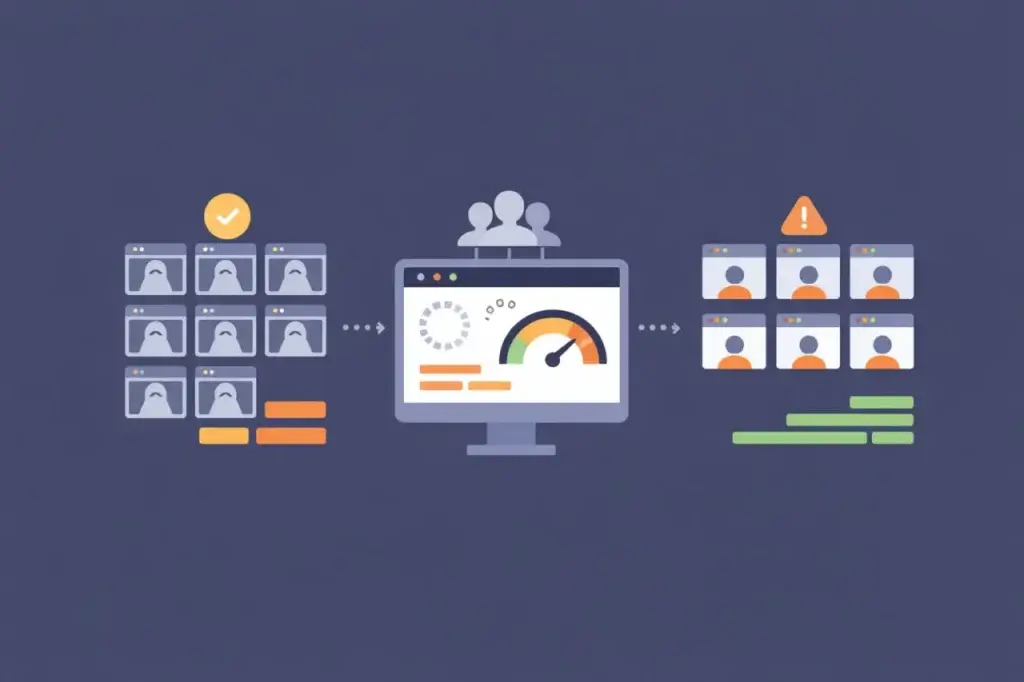
Headless browsers have become a common execution model for testing modern web applications. They are fast to provision, less expensive to scale than full browser sessions, and easy to integrate into automated pipelines. For teams under pressure to test earlier, test more often, and test at higher volumes, headless execution can feel like the obvious choice.
That popularity, however, has created a subtle problem. Many teams reach for headless browser load testing without fully understanding what it measures, or more importantly, what it leaves out. As a result, organizations may believe they are testing user-facing performance when they are really testing something narrower: browser logic and client-side execution under concurrency.
That distinction matters. Modern web applications are no longer defined by server response times alone. They are defined by what happens inside the browser after the first byte arrives. When performance failures occur, they often live in rendering paths, hydration phases, third-party scripts, layout shifts, or main-thread contention. Some of those areas are simplified, hidden, or not fully represented in headless execution.
The result is a growing gap between what some tests report and what users experience. Understanding when headless browsers are appropriate, and when full real-browser testing is needed, is now a core skill for any serious performance testing program.
The Rise of Headless Browser Load Testing
Headless browsers emerged to solve real problems. Traditional protocol-level load testing could generate massive volumes of traffic, but it could not execute JavaScript, follow client-side routing, or reflect the behavior of modern frontend frameworks. As applications moved toward SPAs, SSR, and hybrid rendering models, protocol-only tests became less complete for certain workflows.
Headless browsers filled part of that gap. By executing browser engines without a visible graphical interface, they allowed teams to simulate client-side behavior at a lower cost than full browser automation. This unlocked useful cases such as CI-based regression testing, framework benchmarking, API orchestration validation, and high-concurrency client execution modeling.
Over time, convenience turned into default usage. Many teams now treat headless browser load testing as a stand-in for full performance testing. That assumption is rarely challenged until production behaves differently than the test environment predicted.
What Headless Browsers Actually Measure
To understand when headless browsers are appropriate, it’s important to be precise about what they do.
Headless browsers execute JavaScript using a browser engine. They parse HTML, construct the DOM, evaluate scripts, manage application state, follow routing logic, and initiate network requests. From the application’s perspective, this can look like a legitimate browser session.
This makes headless execution effective at measuring:
- Client-side logic performance under concurrency
- API call patterns and fan-out behavior
- JavaScript execution cost during application bootstrap
- State management and routing efficiency
- Error handling and retry behavior at scale
- The interaction between frontend logic and backend capacity
In environments where rendering complexity is low or where performance risk lives primarily in backend services, these signals are meaningful and actionable. Headless browser load testing can reveal inefficient API usage, N+1 request patterns, poorly cached data calls, excessive retries, or framework regressions that only appear under concurrency.
In other words, headless browsers are useful for testing what your application logic does.
What Headless Browsers Do Not Fully Measure
What headless browsers do not test is just as important, and this is where misunderstandings arise.
Headless execution reduces or omits parts of the graphical user interface path. Depending on the browser, configuration, and test environment, entire categories of user-facing browser work may be skipped, simplified, or measured differently. These include:
- Layout calculation and reflow
- Paint and compositing operations
- GPU acceleration and throttling behavior
- Font loading, text shaping, and image decoding
- Viewport-specific layout changes
- Scroll, hover, and interaction-driven rendering updates
- Browser-specific rendering differences
- Device, display, and resource constraints that affect real users
These are not edge cases. In modern applications, rendering work often dominates perceived performance. Framework hydration can block the main thread. Third-party scripts frequently inject layout changes. Dynamic content can trigger reflow cascades. Large dashboards, product grids, maps, charts, and media-heavy pages can slow down even when API responses are fast.
A headless browser may not fully reveal this pain. It can execute JavaScript and report clean timing metrics while real users experience jank, freezes, layout shifts, or unresponsive interfaces.
This is not a bug. It is a tradeoff. Headless browsers optimize for speed, scale, and repeatability, not full experiential fidelity.
Why This Matters More Than It Used To
Ten years ago, this distinction mattered less. Server-rendered pages with minimal JavaScript placed most performance responsibility on backend infrastructure. If the server responded quickly, the page often loaded quickly.
That world has changed.
Today’s web applications often treat HTML as a starting point. The real work begins after first paint: hydration, client-side routing, state synchronization, data fetching, personalization, analytics, and continuous re-rendering. The browser is no longer a passive renderer. It is an active runtime environment.
As a result, performance failures increasingly originate on the client side, even when backend systems appear healthy. CPU saturation, main-thread blocking, third-party script delays, hydration issues, and rendering contention are now common failure modes during traffic spikes and releases.
Headless browser load testing, by simplifying parts of the rendering path, cannot always surface these issues. Teams that rely on it exclusively may be testing an incomplete model of their application.
When Headless Browser Load Testing Is the Right Tool
None of this means headless browsers should be avoided. It means they should be used intentionally.
Headless browser load testing is well suited for scenarios where the UI is not the dominant performance risk. Common examples include backend-heavy applications where most latency is driven by API calls, database queries, queues, or external integrations. In these cases, rendering overhead may be less important than network and compute behavior.
Headless execution also makes sense for internal tools and operational dashboards with limited visual complexity. When the application’s purpose is mostly functional rather than visual, measuring logic execution and request behavior may be enough for early validation.
Another strong use case is early-stage regression testing. In CI pipelines, headless tests provide fast feedback on whether new code paths introduce inefficiencies or change traffic patterns. They allow teams to catch obvious regressions without paying the cost of full browser simulation on every build.
Headless browsers are also effective for large-scale concurrency modeling. When the goal is to understand how client behavior amplifies backend load, rather than how users perceive the UI, headless execution provides cleaner and more scalable signals.
Used in these contexts, headless browser load testing is not a compromise. It is the right instrument for the question being asked.
Where Headless Testing Goes Wrong
Problems arise when headless tests are asked to answer questions they were never designed to answer.
A common pattern looks like this: teams run headless load tests, see stable response times, acceptable error rates, and predictable scaling behavior. Confident in these results, they proceed with releases or campaigns. Shortly afterward, users report broken interactions, slow navigation, delayed dashboards, or frozen screens.
Post-incident analysis often reveals that backend systems performed as expected. The failure lived in the browser: hydration blocked interactions, rendering pipelines saturated CPU, third-party scripts degraded responsiveness, or client-side code created layout and interaction delays.
From the test’s perspective, nothing major went wrong. From the user’s perspective, the experience was poor.
This gap is dangerous because it creates false confidence. Headless metrics can look precise and repeatable. Dashboards may stay green. Yet they represent only a subset of the workload users impose on the system.
As applications become more browser-centric, this mismatch becomes more important.
The Role of Real Browsers in Load Testing
Real browsers introduce friction. They are heavier, slower to scale, and more expensive to run. That friction is exactly why they matter.
Real browser load testing exercises more of the full user-facing execution path: JavaScript, rendering, layout, paint, interaction handling, and browser behavior. It captures the cost of visual complexity, viewport changes, third-party scripts, and browser engine differences. It reveals contention between code execution and rendering work.
Most importantly, real browsers validate whether users can actually complete workflows under load. They answer practical experience questions: does navigation respond, do forms submit, do modals open, do dashboards populate, do filters work, does checkout complete, and does the page remain usable?
These are not abstract concerns. They are the difference between a system that is technically available and one that is operationally usable.
When performance risk lives in the browser, omitting real browser testing creates a blind spot.
Load Testing vs. Performance Testing in Headless Browsers
Much of the confusion around headless browsers comes from conflating load testing with performance testing.
Load testing focuses on scale. It asks how systems behave as concurrency increases. Performance testing focuses on experience. It asks how systems behave from the user’s perspective.
Headless browser load testing is useful for scale modeling and client logic validation. It can generate many concurrent client executions efficiently. Real browser testing is stronger for experiential validation. It reveals what happens when real browsers handle rendering, JavaScript, layout, third-party resources, and user interactions under load.
Neither replaces the other. They answer different questions.
The mistake is assuming that a test designed for load automatically validates user experience.
Choosing the Right Tool Deliberately
The most effective teams do not start with the tool. They start with the test objective.
If the goal is to validate client-side logic efficiency and backend scalability, headless browser load testing may be appropriate. If the goal is to validate user experience under realistic browser conditions, real browsers are necessary.
If the goal is to catch regressions early and cheaply, headless tests belong in CI. If the goal is to reduce production incident risk before a launch, campaign, or critical release, realism should be prioritized over convenience.
This is where tool selection becomes consequential. Platforms like LoadView support real browser-based testing specifically to answer questions headless execution may miss: how rendering, third-party scripts, user interactions, and complete workflows behave under load. Headless tools remain valuable for fast feedback and scale modeling, but they should not be asked to validate experiences they are not designed to observe.
Tool choice is not just a technical preference. It is a risk management decision.
A Balanced Load Testing Strategy
Mature performance programs rarely rely on a single execution model. Instead, they layer signals.
Headless browser load testing provides fast, repeatable insight into client logic and request behavior. It helps teams understand how code changes affect load patterns and backend systems.
Real browser testing provides confidence that those patterns translate into usable experiences. It validates rendering behavior, interaction stability, third-party script impact, and workflow completion under load.
Protocol-level testing still has a role too. It provides efficient, high-volume backend load for APIs, services, databases, and infrastructure. Used together, protocol tests, headless browser tests, and real browser tests give teams a more complete performance picture.
Conclusion
Headless browser load testing is not obsolete or useless. It is specialized.
As web applications continue to shift complexity into the browser, performance failures increasingly occur in areas that headless execution may not fully capture. Teams that treat headless tests as a proxy for complete user experience can still be surprised by production behavior.
The teams that avoid those surprises are the ones that match their tools to their intent. They understand what each test is proving, what it is excluding, and why that matters.
When performance depends on the browser, your load testing strategy should reflect that reality deliberately, not by default.