

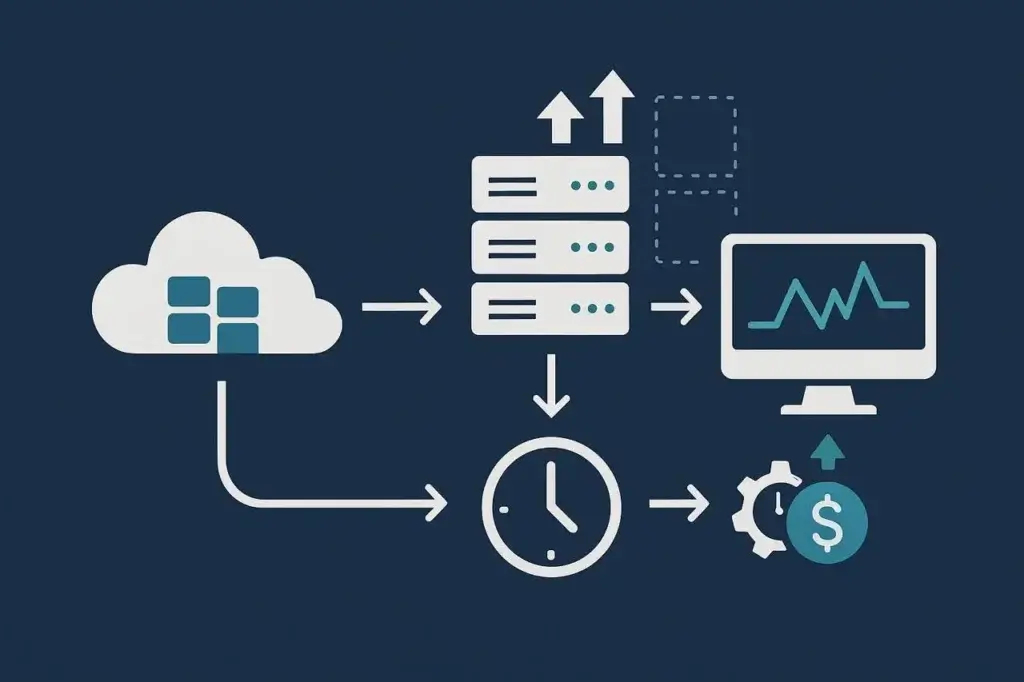
Auto-scaling promised to reduce the guesswork of capacity planning. Set your rules, define your metrics, and let the cloud handle the rest. At least, that’s how it looks in slide decks. In practice, scaling rules do not always behave the way teams expect. They can lag, overreact, or fail to respond quickly enough when traffic surges.
These failures are not always dramatic outages. Often, they show up as quiet inefficiencies. Instances take too long to become available. Cooldown periods suppress needed reactions. Costs spike from over-scaling, or latency creeps in when scale-out events fire too late. The only way to see this behavior clearly is to force it into the open through deliberate, dynamic load testing.
Auto-scaling is not magic. It is conditional automation, and those conditions only reveal themselves under load.
Why Auto-Scaling Rarely Works as Promised
Every scaling system is built on assumptions. Default settings, often tuned to avoid false triggers, rarely match every real-world demand curve. CPU utilization thresholds might look safe in a dashboard but fail to represent true application stress. Memory pressure may not register until performance has already degraded. Scaling rules may also rely on metric windows that are too long to respond to sudden demand.
For example, a traffic spike can happen faster than your monitoring and scaling system can react. If metrics are aggregated over a long window, a 20-second burst may be smoothed out or detected too late. Add instance startup time, container readiness, load balancer registration, cache warm-up, and dependency initialization, and your “automatic” scaling system may already be behind the user experience.
This delay is the silent killer of perceived reliability. Applications do not always crash. They slow down, drift out of SLA, and gradually lose trust. That’s why scaling failures are hard to detect without explicit testing. Metrics may show that the system caught up eventually. What they do not show clearly is how many users experienced slowness before it did.
The Hidden Dimensions of Cloud Scaling Rules
Scaling looks like a single dial in a console, but in reality it is a matrix of triggers, metrics, cooldowns, warm-up time, and dependencies. You cannot validate one without understanding how the others interact.
Consider the dimensions at play:
- Metric Selection: CPU, memory, queue depth, request latency, error rate, and custom business metrics each tell a different story about system pressure. A CPU-based rule might miss a queue buildup, while a latency-based rule might trigger too late.
- Aggregation and Sampling: Metrics are averaged across time windows. A 60-second average can smooth out spikes that matter. Shorter windows are more responsive but can also be noisier.
- Cooldown Periods: To prevent thrashing, most systems enforce cooldowns before allowing another scaling event. The result can be an application that stays underprovisioned longer than expected.
- Warm-Up Time: New instances, containers, or serverless workers need time for bootstrapping, dependency loading, connection setup, cache warming, and load balancer registration.
- Downstream Capacity: Scaling the application layer does not automatically scale databases, queues, caches, payment providers, or third-party APIs.
Each of these dimensions can create a delay, oscillation, or overshoot that simple testing misses. A true scaling load test maps these interactions by intentionally varying load speed, duration, and traffic type. That’s when you start to see where scaling rules break down.
Designing Load Tests for Cloud Scaling Behavior
Traditional load tests often aim to find breaking points. Scaling tests aim to find blind spots. The goal is not just to see if scaling occurs, but when it happens, how quickly it stabilizes, and what it costs. That requires designing test scenarios around the timing and triggers that govern scaling.
Start with gradual load ramps. Increase virtual users or requests slowly over several minutes so the system crosses scaling thresholds in a realistic, measurable way. Abrupt spikes are useful too, but they reveal a different behavior: how the system reacts when traffic arrives faster than scaling can respond.
Next, add short, sharp bursts to see if cooldowns suppress scaling or cause lag. Sustained plateaus test stability after scale-out events. Once scaling occurs, you also need to test the reverse direction: how quickly the system scales down when load subsides and whether it does so without disrupting active users.
A complete scaling test usually includes four phases:
- Ramp Up: Controlled load increase to trigger initial scaling events.
- Sustain: Hold steady traffic long enough to observe steady-state performance.
- Spike: Introduce rapid increases to reveal cooldown handling, lag, or saturation.
- Recovery: Drop load and watch how quickly resources contract and costs normalize.
Testing this sequence reveals how scaling behaves dynamically. A two-minute lag might be acceptable for background services but unacceptable for transactional workloads like checkout, login, ticketing, or booking. The point is not just to measure throughput. It is to chart the cause-and-effect chain between load and scaling response.
Modern platforms like LoadView make these patterns practical to simulate at the browser, web application, and API level. By creating realistic traffic patterns, you can trigger the same signals your auto-scaling policies rely on and turn theoretical elasticity into measurable performance.
Observing Lag in the Cloud: Metrics That Matter
Scaling lag is not always obvious until you know where to look. It lives in the space between thresholds being crossed and resources becoming available, between instance creation and traffic stabilization, and between user slowdown and infrastructure response.
The key is correlating multiple layers of data. Application performance metrics show symptoms. Infrastructure metrics show causes. Business metrics show impact. The relationship between them defines your elasticity profile.
Critical measures include:
- Time from threshold breach to scale-out event.
- Time from scale-out event to instance, container, or worker readiness.
- Time from readiness to active load balancing or traffic routing.
- Latency change during the scaling window.
- Error rate, timeout rate, and retry behavior during the scaling window.
- Queue depth, connection pool usage, and database pressure while new capacity comes online.
- Stabilization time once new capacity joins the pool.
- Cost curve throughout the event cycle.
Plotting these metrics together exposes how scaling feels in production. You may find that scale-out technically works, but the lag window still causes short-lived latency spikes, queue buildup, or partial failures. Some teams also observe performance dips after scaling, caused by cold starts, cache misses, connection storms, or uneven traffic distribution as new instances come online.
A good scaling test visualizes this lag the way users experience it: not as abstract metrics, but as time lost.
Dynamic and Adjustable Testing Loops
One load test tells you what happens once. Continuous testing tells you how scaling rules evolve as you tune them. The most effective teams treat scaling validation as a feedback loop.
After each test, analyze how quickly scaling responded and whether cooldowns, metric windows, or warm-up times introduced unnecessary latency. Adjust the rules by changing thresholds, shortening or lengthening windows, tuning cooldown periods, or choosing better scaling signals. Then run the test again. Each iteration becomes a calibration step.
This approach mirrors performance tuning in CI/CD. You are not verifying static correctness. You are training the system to react with the right timing. Over time, dynamic test pipelines can vary traffic patterns automatically based on prior results, helping teams move scaling rules toward better responsiveness.
That’s where elasticity stops being theoretical and becomes measurable engineering.
Common Failure Patterns in Cloud Scaling Rules
Scaling systems rarely fail spectacularly. They fail subtly, in patterns that only appear once you watch them under pressure. A test run might look stable at first glance, but beneath the metrics you may see scaling rules fighting themselves by triggering too late, reacting too often, or responding to the wrong signals. These are not random glitches. They are repeatable design flaws that emerge from the way scaling logic interprets real-world traffic.
Load testing does not just reveal these patterns. It gives them shape. Once you understand the shapes, you can design around them. Four of the most common look like this:
- Delayed Triggers: Rules tied to slow-moving metrics, such as averaged CPU or multi-minute latency windows, activate after users already feel the slowdown. The system scales eventually, but not soon enough to prevent degraded experience.
- Thrash Cycles: Overly sensitive thresholds cause the system to scale up and down in rapid succession. Each oscillation wastes cost and can destabilize the workload. Testing different ramp and cooldown patterns helps reveal the balance point between responsiveness and restraint.
- Metric Mismatch: The rule tracks the wrong symptom. CPU usage may look fine while message queues, connection pools, or thread pools back up. Load testing uncovers these hidden bottlenecks by correlating workload type with the metric that truly governs it.
- Provider and Platform Lag: Cloud providers, orchestrators, and monitoring systems do not operate instantly. Metrics must be collected, aggregated, evaluated, and acted on. Testing helps teams calibrate expectations and offset that latency through pre-scaling, predictive scaling, or prewarming strategies.
Each of these failures leaves a signature: oscillating graphs, uneven latency curves, instance counts that look like sawteeth, or costs that rise faster than performance improves. Without testing, they stay buried under aggregate averages. With testing, they become actionable intelligence. That’s the real value of load testing in cloud scaling: not proving that the system grows under load, but discovering how it grows, when it reacts, and why it sometimes doesn’t.
Engineering for Elastic Predictability
Elasticity is not just scaling up. It is scaling up predictably. That means tuning scaling rules around the application’s behavior, not just infrastructure metrics.
Start by linking scaling triggers to user-facing performance, such as request latency, queue depth, transaction completion rate, or error rate, rather than CPU or memory alone. Predictive, scheduled, or step-based scaling can stabilize workloads better than purely reactive models when traffic patterns are known in advance.
Treat synthetic load tests as calibration, not audits. Run them quarterly, after major architectural changes, before high-traffic events, and after meaningful changes to autoscaling rules. Each run should answer one question: does the system scale at the speed and precision you expect?
Document the response profile, including how long it takes to scale, how long it takes to stabilize, how long it takes to recover, and what it costs. These numbers become your elasticity baseline. Once you have that baseline, you can say your system scales automatically because you have proven it under realistic conditions, not because the console said so.
Conclusion
Auto-scaling is not broken. It is often misunderstood. Most failures come from assumptions, not cloud deficiencies. Defaults work only for default traffic. Real workloads have their own rhythm, and the only way to tune scaling rules to that rhythm is through intentional, repeatable load testing.
Testing reveals what dashboards often hide: the delay between demand and response, the oscillations that waste cost, the thresholds that trigger too late, and the metrics that do not reflect actual user pressure. It turns scaling from a reactive setting into an engineered behavior.
Elastic infrastructure does not happen by chance. It happens when you pressure-test the rules that govern it. With the right load testing approach, your scaling becomes less of a promise and more of a measurable contract with users, budgets, and production reality.