

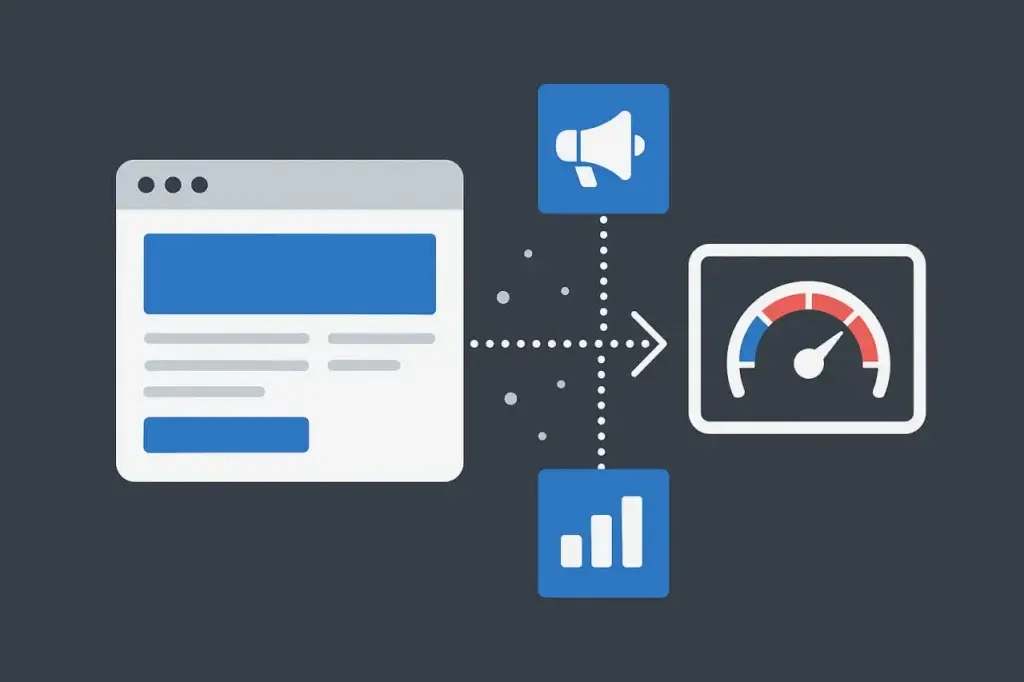
Third-party scripts have quietly become one of the biggest sources of noise, distortion, and false failures in browser-based load testing. Every marketing tool, analytics pixel, optimization framework, chat widget, consent banner, and personalization script adds another remote dependency your application does not control. Under real traffic, most of them behave well enough. Under synthetic load, they can distort results and make external failures look like your failures.
This article breaks down what actually happens in the browser, why synthetic traffic can exaggerate third-party effects, and how to load test intelligently without letting third-party code hijack your results. It’s written for teams using LoadView, but the same principles apply to any browser-based performance testing approach.
The Hidden Weight of Third-Party Code
Modern pages are not just HTML and your own JavaScript. They are an assembly of:
- Analytics engines
- A/B testing frameworks
- Session replay trackers
- Tag managers
- Chat widgets
- CDN-hosted libraries
- Consent banners
- Advertising beacons
- Feature-flag loaders
- Personalization tools
Every one of these scripts runs on its own timeline, makes its own network calls, and can stall the page in ways your backend team may never see.
In a browser-based load test, you are not only testing your system. You are also testing the availability and behavior of services you do not own and cannot control. Some are fast. Some are slow. Some may react poorly when they receive thousands of near-identical synthetic visits in a short period of time.
This is why teams often see this pattern:
- Application server metrics: stable
- Database latency: unchanged
- Synthetic load test: “page slow,” “waterfall blocked,” or “JavaScript execution stalled”
- When those signals do not correlate, third-party code is often the culprit.
What Actually Happens When Third-Party Scripts Execute During a Load Test
To understand why test results can get polluted, look at what the browser has to do:
- Parse your HTML.
- Request your CSS and JavaScript.
- Find external scripts and issue DNS, TCP, TLS, and GET requests.
- Wait for the remote provider to respond.
- Run whatever code comes back.
- That code may load more scripts.
- Those scripts may make more requests.
None of this is hypothetical. Open a DevTools waterfall and you’ll often see tag managers spawning additional scripts, trackers pulling configuration, replay tools loading recording assets, analytics calls batching events, and personalization tools requesting rules or user segments.
Under load, these external chains do not necessarily get faster. They may get slower, rate-limited, blocked, or rerouted.
Most importantly, the browser does not know that this is a load test. It executes everything as it would for a real user. If the third-party provider stalls, the browser can stall too.
How Third-Party Scripts Inflate and Mislead Results
Synthetic browser tests measure the things users feel: Largest Contentful Paint, DOMContentLoaded, load event, Time to Interactive, JavaScript execution, and other runtime milestones. Third-party scripts can distort these results in several ways.
Blocking Scripts Stall Parsing
If a script tag is not async or defer, the browser can halt HTML parsing until the remote provider responds. If that provider is slow or rate-limits your test traffic, your timing results can spike.
Long-Tail Latency Alters Percentiles
Third-party performance is inherently variable. Some requests take 50 ms. Others take 800 ms or several seconds. During a full load test, these outliers can stack up in your 95th and 99th percentiles, making your application look unstable when the issue is external.
Async Code Still Burns CPU and Event Loop Time
Even if a script loads asynchronously, heavy analytics, personalization, or session replay code can still consume JavaScript runtime and event loop time. Under browser-based load testing, this can show up as delayed interactivity or longer rendering milestones.
Waterfall Sprawl Hides the Real Bottleneck
When every third-party script waterfalls into more requests, identifying what is yours versus what is external becomes difficult. Teams may waste time chasing a backend latency problem that is actually a stalled tag manager, slow consent script, or blocked analytics endpoint.
The bottom line: your system may be healthy, but your load test may not look healthy unless you separate first-party and third-party behavior.
CDN Variability and Cascading Latency Under Synthetic Load
Third-party scripts do not run from your infrastructure. They run from CDNs and vendor infrastructure distributed across the world. Those systems route traffic based on geography, congestion, peering, maintenance, and dynamic load-balancing behavior. Under synthetic load, especially when requests come from multiple regions at the same time, that variability can be amplified.
Hundreds of browsers hitting the same external script at once can be routed to different points of presence. One region may land on a warm, responsive edge node. Another region may hit a congested or cold node and stall for several hundred milliseconds. A third region may temporarily reroute, adding more unpredictability. None of this necessarily reflects the health of your application, but it can appear inside your test results as if it does.
The consequence is predictable: a load zone that appears slow in your report may not be struggling with your servers at all. It may be waiting on a marketing pixel, analytics tag, consent manager, or replay script hosted elsewhere. Meanwhile, your infrastructure metrics tell a different story: CPU steady, memory steady, database latency unchanged.
But the browser waterfall is filled with long external bars, delayed script execution, and inflated timing milestones. That mismatch is the telltale signature of third-party code affecting synthetic test results.
Third-Party Providers and Rate-Limiting Problems
One of the more deceptive failure patterns in browser-based load testing comes from third-party services protecting themselves. Analytics platforms, tag managers, replay tools, and marketing pixels are built for normal user traffic that is spread out, irregular, and diverse. They may not treat thousands of near-identical synthetic sessions hitting the same endpoints in a tight burst as normal traffic.
Here’s what can happen:
- Load test begins.
- All browsers hit your page.
- A third-party endpoint sees an unnaturally repetitive flood.
- The provider interprets it as scraping, abuse, or DDoS-like behavior.
- Requests slow down, get throttled, or return errors.
- The browser waits for responses or handles failures.
- Your test metrics degrade.
The result can look like your application fell apart, when in reality nothing on your infrastructure changed. CPU stays flat, memory stays steady, and database latency does not move. The slowdown may be a third-party service rate-limiting what it thinks is abusive traffic. Unless you inspect HAR files or external waterfalls closely, it is easy to misdiagnose this as an internal performance problem.
Why Real Users Don’t Always See the Same Slowdowns
One of the biggest gaps between synthetic results and real-world performance comes from the fact that real users do not always load the same scripts your test environment loads. Some users run ad blockers or privacy extensions that prevent analytics, tracking pixels, and marketing scripts from executing. Others may not trigger certain tools because of consent settings, geography, login state, device type, or audience segmentation.
Synthetic users, by contrast, often behave like clean browsers with no blocking, no extensions, and no consent history. That means every third-party script, including tracking tags, replay tools, optimization frameworks, and personalization code, may execute on every synthetic session, even though a portion of real users may never trigger them.
The result is a predictable mismatch: production appears stable, while the load test shows inflated timings and heavy waterfalls. The test is not necessarily wrong. It is measuring a scenario where the full weight of third-party scripts is applied uniformly. But that may not reflect the actual distribution of user behavior.
When to Include Third-Party Scripts in Load Testing and When to Block Them
There is no single right approach. It depends on what you are measuring.
Include third-party scripts if you care about:
- Real-user experience
- UX timing such as LCP, CLS, and Time to Interactive
- Page rendering under peak traffic
- How your site behaves when marketing, analytics, personalization, consent, and chat scripts are active
Exclude or block them if you care about:
- Backend scalability
- API performance
- Database throughput
- Infrastructure bottlenecks
- Network and load balancer tuning
- Throughput and error-rate SLAs
The smarter approach is usually to run both:
- Clean Runs: Block, stub, or control external dependencies.
- Full Runs: Let the browser load everything.
The difference between the two tells you how much third-party providers contribute to real-world experience and how much noise they add to your test results.
In LoadView, teams can use blocklist and allowlist-style controls to compare clean and full scenarios without rewriting the entire test.
Third-Party Scripts Aren’t Frontend Only
A frequent misunderstanding in load testing is the assumption that third-party scripts only interact with external providers and therefore have no impact on your own infrastructure. In practice, that is not always true. Many scripts fetch data, push events, or request configuration directly from your backend, creating additional traffic that teams may overlook.
Examples include:
- A/B testing frameworks querying your API for experiment configuration.
- Personalization scripts requesting logged-in user attributes.
- Attribution scripts posting page transitions or session markers.
- Chat widgets calling availability or roster endpoints.
- Analytics tools batching events back to your domain to avoid cross-site blocking.
- Consent tools checking regional rules or user preferences from your backend.
The result is a quiet amplification effect: a single third-party script may generate several additional backend calls per page load. Under load, this multiplies quickly. What seems like a frontend-only test can suddenly produce meaningful backend traffic. If your infrastructure metrics show unexpected API spikes or elevated database activity during a UI-centric scenario, this interaction pattern may be the reason.
Recognizing these hidden backend touchpoints is essential for interpreting load test results correctly. Without accounting for them, it is easy to blame the wrong part of the system or underestimate the actual demand your application faces under real browser behavior.
Smarter Testing: Stubs, Mocks, Overrides, and Controlled External Behavior
When the goal is to run clean, dependable load tests, the objective is not to fabricate a different reality. It is to isolate the specific system you are trying to measure. Third-party dependencies introduce noise, unpredictability, and rate-limiting behaviors that may have nothing to do with your infrastructure. Controlling those variables allows you to measure your own performance without inheriting the instability of external services.
One option is to use DNS overrides, routing known third-party domains to a local or controlled mock endpoint that responds predictably. This lets the browser complete its expected request sequence without waiting on remote CDNs or analytics providers. Script blocking can achieve a similar outcome with less setup. For example, you may block domains such as tag managers, replay tools, ad platforms, or optimization services so the browser does not spend time retrieving or executing them during the test.
Mock endpoints offer another layer of control by returning minimal, predictable payloads. This keeps script execution consistent across runs and removes long-tail latency that would otherwise pollute timing metrics. In some cases, teams choose to host fallback copies of external libraries locally so they can control both availability and timing without altering application logic.
All of these methods preserve enough browser behavior to keep the test useful while eliminating random delays and failures that third-party services can introduce under synthetic load. The result is a test that better reflects the performance of your application, not the health or congestion level of someone else’s CDN.
How LoadView Helps Manage Third-Party Script Noise in Load Testing
LoadView’s browser-based load testing gives teams the visibility needed to separate “our code is slow” from “an external service delayed the page.”
Key advantages:
- Waterfall-Level Visibility: See which third-party requests blocked or delayed the page.
- Block and Allow External Domains: Run clean versus full comparison tests without maintaining multiple script versions.
- Browser-Level Execution: Measure what users experience when marketing, analytics, consent, and personalization scripts are active.
- Load Zones: Spot region-specific external slowdowns that could otherwise be blamed on your servers.
- Scripting Control: Add conditions to prevent external calls or replace them with predictable mocks where appropriate.
This is what modern browser-based load testing requires: fine-grained control over external noise.
Reading the Results: Don’t Chase Third-Party Ghosts
When a test goes sideways, use a triage pattern that keeps teams from chasing the wrong root cause.
If server metrics are stable but browser results look awful:
Look for third-party scripts, client-side execution overhead, or blocked external calls.
If 95th/99th percentiles balloon while averages stay clean:
That can indicate third-party long-tail behavior or intermittent external delays.
If only one geographic load zone is slow:
Check whether the issue is tied to an external CDN, regional routing, or third-party provider behavior.
If failures show DNS, TLS, 403, 429, or timeout errors for external domains:
You may be seeing rate limiting, blocking, or provider-side throttling.
If backend traffic is higher than expected during a “frontend” test:
Some client-side script may be calling your APIs or generating additional first-party requests.
Interpreting results correctly is not just a skill. It is a requirement for valid testing.
Conclusion
Third-party scripts are not going away. Every marketing team, analytics vendor, personalization tool, consent manager, and chat platform adds another dependency to the page. That is part of the modern web.
But load tests should not let someone else’s slow server convince you that your infrastructure is failing.
Realistic testing means:
- Knowing when to include third-party code
- Knowing when to block or control it
- Knowing how to interpret the difference
- Running clean and full scenarios
- Not letting CDN noise or rate-limited analytics providers distort your SLAs
LoadView gives teams the visibility and control to do exactly that: test the system you actually run while understanding how external scripts affect the browser experience.